
the Game
Build any league: replicas, history, and files you make yourself
Build a Franchise got rebuilt, a fresh 2026-27 replica just landed, history mode lets you start any season since 1946-47, and Community Files turns a spreadsheet into a league. Here's how all of it works.
Every league starts with one question: who's on the floor? This week that question got a lot more answers, and a lot easier to answer.
Build a Franchise, rebuilt
Starting a league walks you through six stops: a name, a roster file, a draft class, how teams form, solo or with friends, and who can find it. If it's your first league, you go one stop at a time with a clear instruction at the top of each. After that, the whole sheet is one page, and the moment you pick something the rest dims and a note points you to what's next.
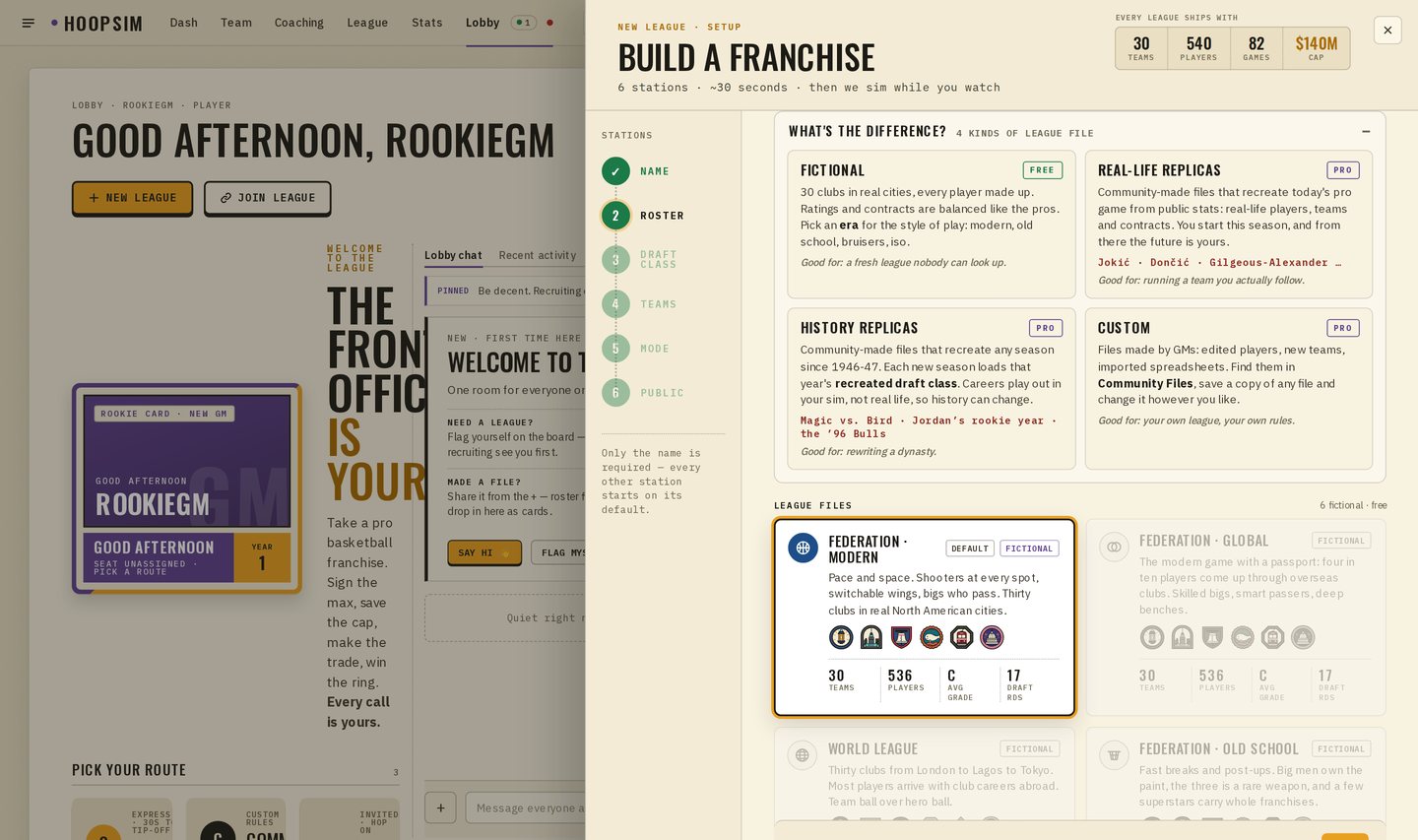
At the top of Roster there's a small panel called What's the difference? It lays out the four kinds of league file in plain words, so you know what you're picking before you pick it.
- 1Fictional · freeThirty clubs in real cities, every player made up. Pick an era for the style of play.
- 2Real-life replicas · ProCommunity files that recreate today's pro game from public stats.
- 3History replicas · ProStart in any season since 1946-47; that year's draft class arrives every season.
- 4Custom · ProFiles made by GMs: edited players, new clubs, imported spreadsheets.
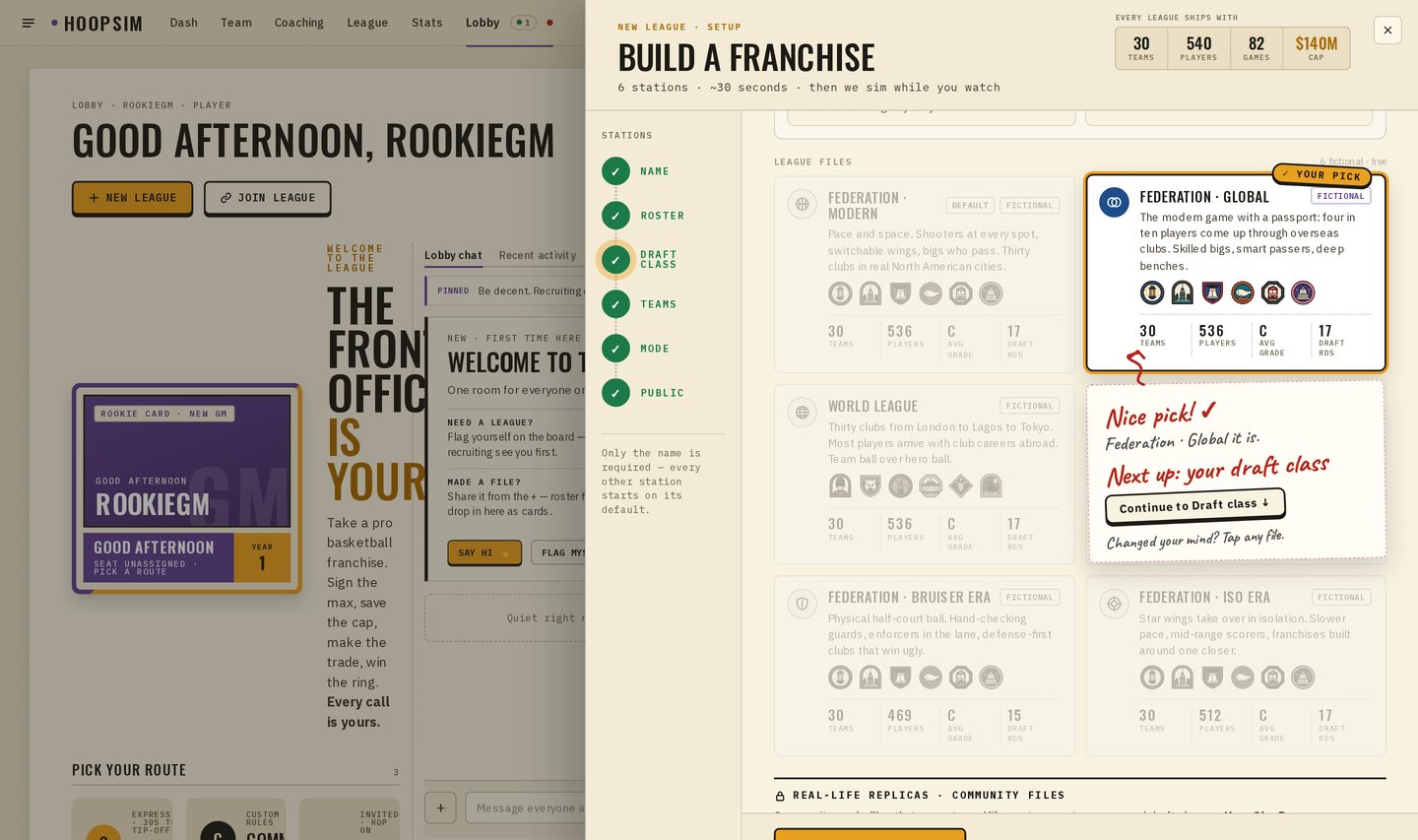
The free files are fictional: thirty clubs in real cities, every player made up, balanced like the pros. Each one plays like an era of the game, and the names say so: Modern, Global, Old School, Bruiser Era, Iso Era and the World League.
Real-life replicas, and a fresh 2026-27
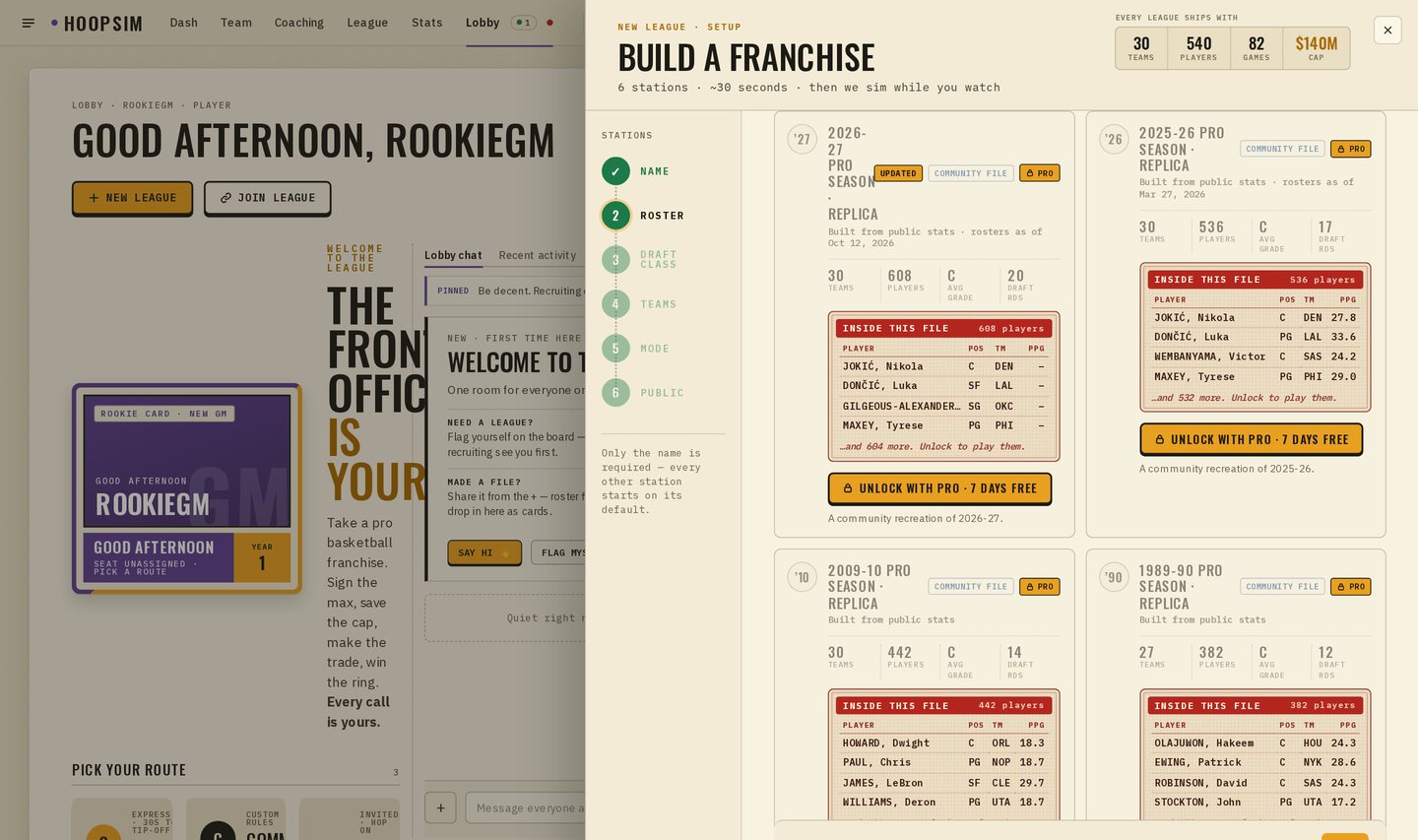
Some of you want the players you watch every night. The community builds replica files that recreate the real pro game from public stats: real-life players on their teams and contracts. Every replica card now shows its back, TOPPS-style, so you can see the biggest names inside before you choose.
There's a new one on top, marked UPDATED: 2026-27 Pro Season. It's this off-season's rosters as of today: 608 players across 30 clubs, with the trades, signings and rookies already in. I built a league from it and ran a preseason through the engine before it went up. It played clean.
History mode: pick a year, then rewrite it
A History replica starts your league in any season from 1946-47 to 2025-26. You get that season's clubs, its divisions, its schedule length and its playoff format. There's no play-in before 2020-21, and series lengths follow the year. The rosters are that season's players, rated for their era, so the legends of the 60s play like the legends they were. Contracts are in today's money so the cap still means something.
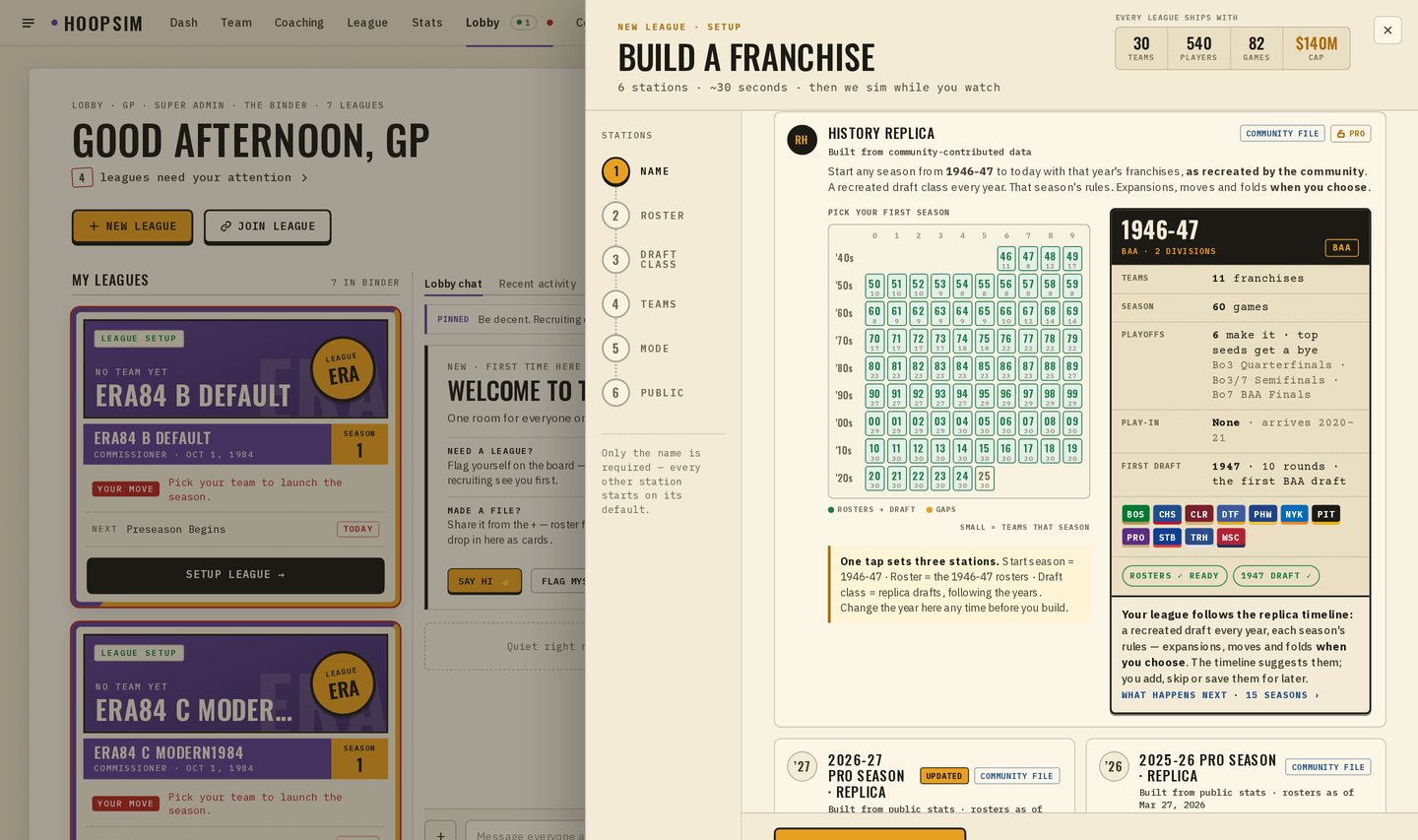
Every new season, that year's draft class walks in, recreated from the archive, so your league keeps following the years. Past 2025-26, the draft keeps going with new rookie classes that fit your era. The careers are yours, though. Once the ball goes up, nobody's path is written down.
The big moments in league history don't just happen to you. Expansions, relocations, folds and the 1976 merger show up on the commissioner's timeline as suggestions. When the real league added a club, your commissioner gets a card with three choices: Add, Skip or Later. You can also add or move a club early, late, or never.
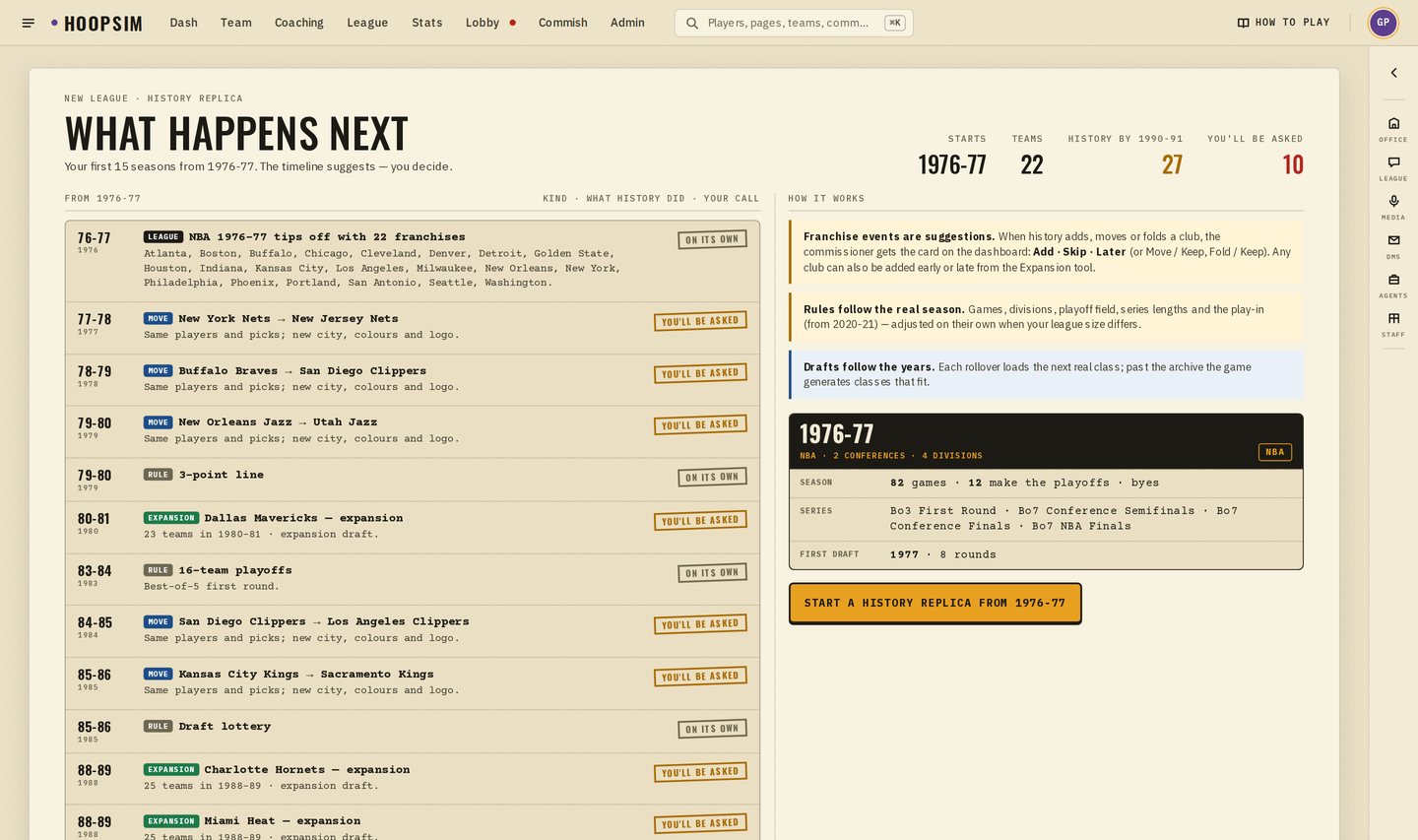
- 1The cardWhen the real league added, moved or folded a club, the commissioner gets Add, Skip or Later.
- 2The expansion draftClubs protect players under that era's rules. Protected and exposed players can't be traded while it's open.
- 3Who runs the new clubA teamless GM asks for it and the commissioner approves. Unclaimed by draft night, an AI GM takes it.
- 4When a club foldsIts players go into a dispersal draft. Its old name stays on the trophies and the record book.
When a club joins, there's a real expansion draft. Each existing club protects players under that era's rules, and the commissioner can tweak them. While the draft is open, protected and exposed players can't be traded, so nobody games the list. Teamless GMs, including anyone flagged in the Lobby, can ask for the new club, and the commissioner approves. If nobody claims it by draft night, an AI GM takes the seat. When a club folds, its players go into a dispersal draft. Old names stay on the trophies, awards, box scores and record book, so the Braves are still the Braves in 1977.
Community Files: your league, from a spreadsheet
This is the part I'd go try tonight. Community Files is where every roster file and draft class lives: the official ones, the replicas, and the ones you all make. Sort by popular, new or top rated, filter by era, star the ones you like and leave comments for the people who made them.
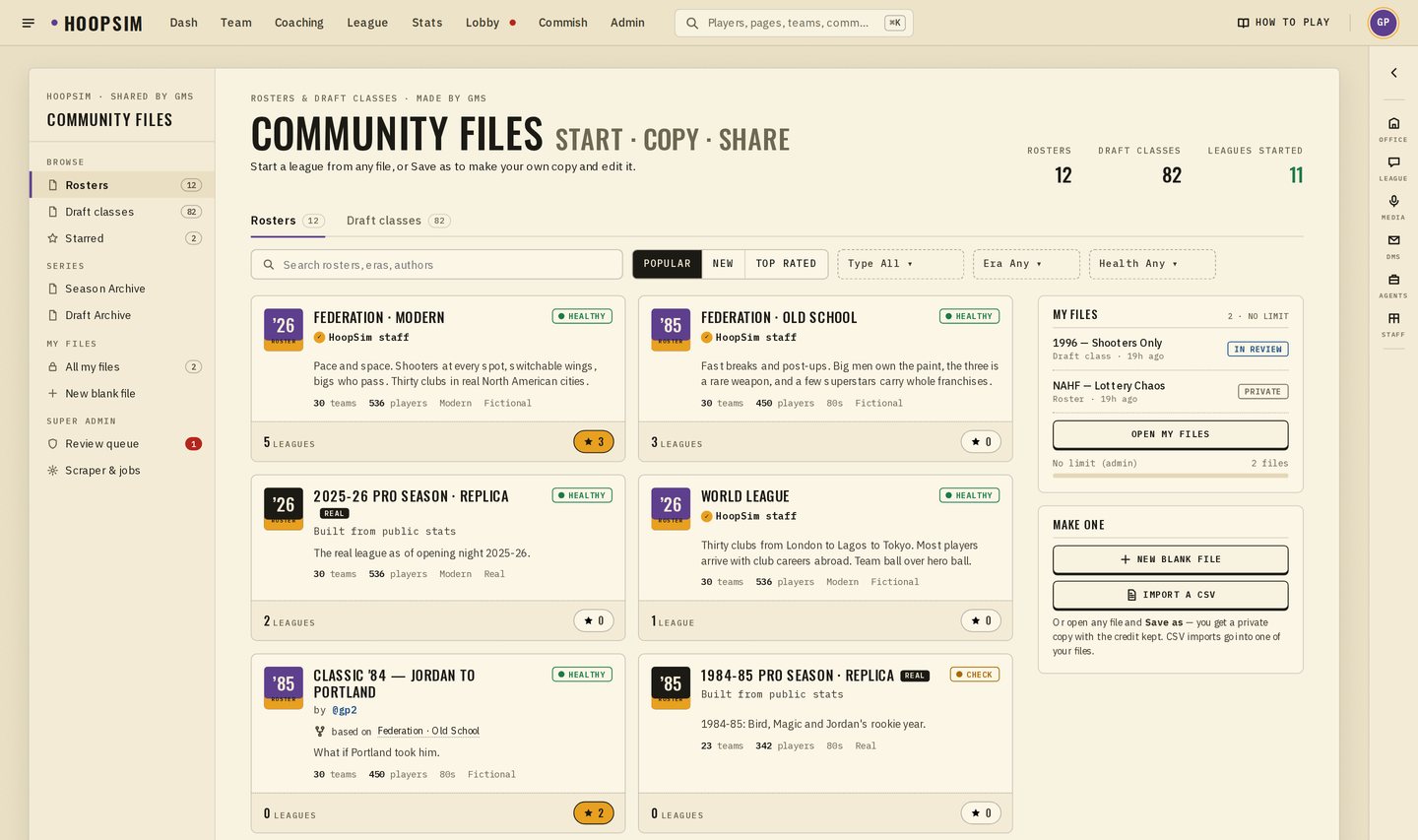
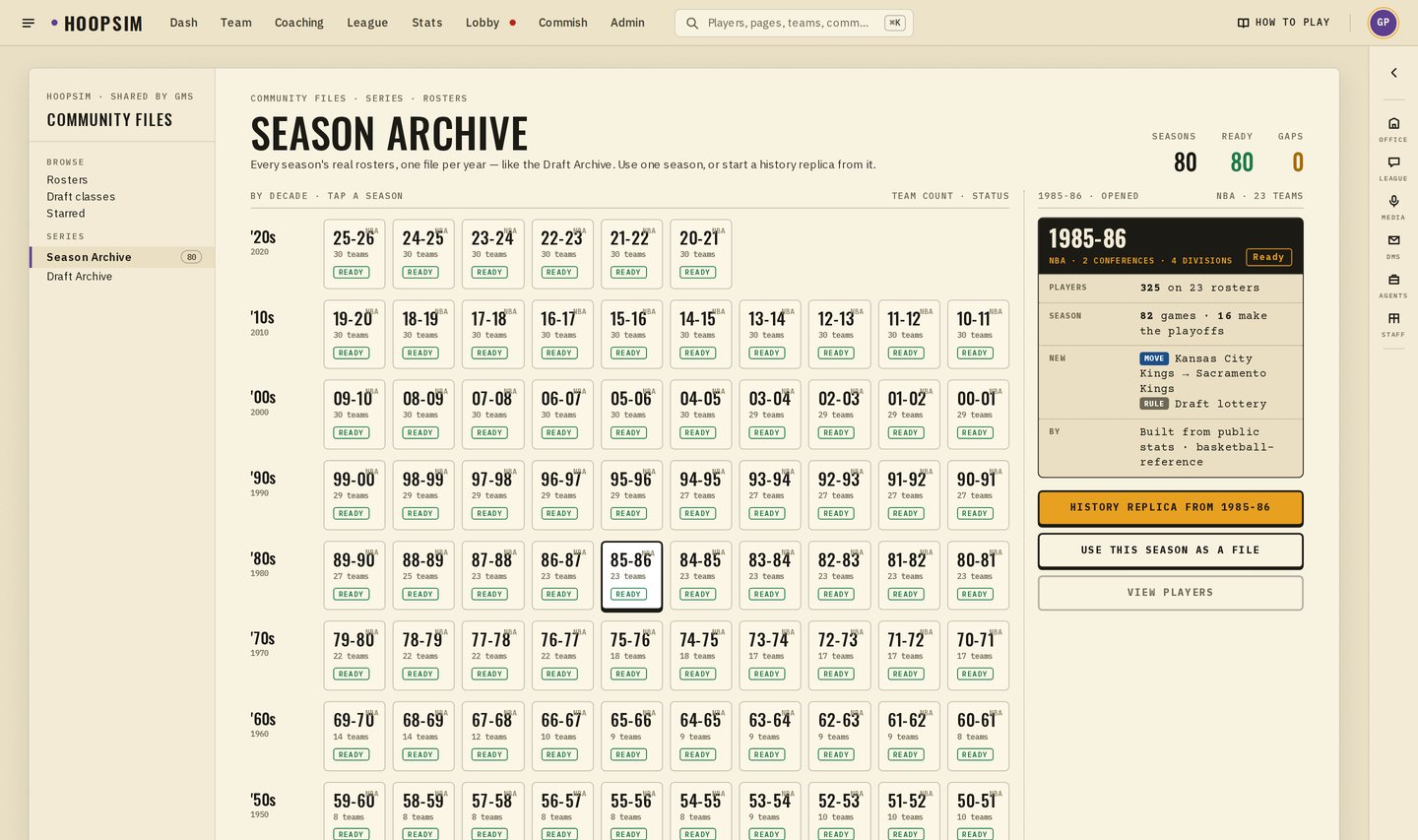
The Season Archive has one replica roster file for every season back to 1946-47, and the Draft Archive has a class for nearly every June in between. Use any season as a plain file, or start a history replica from it.
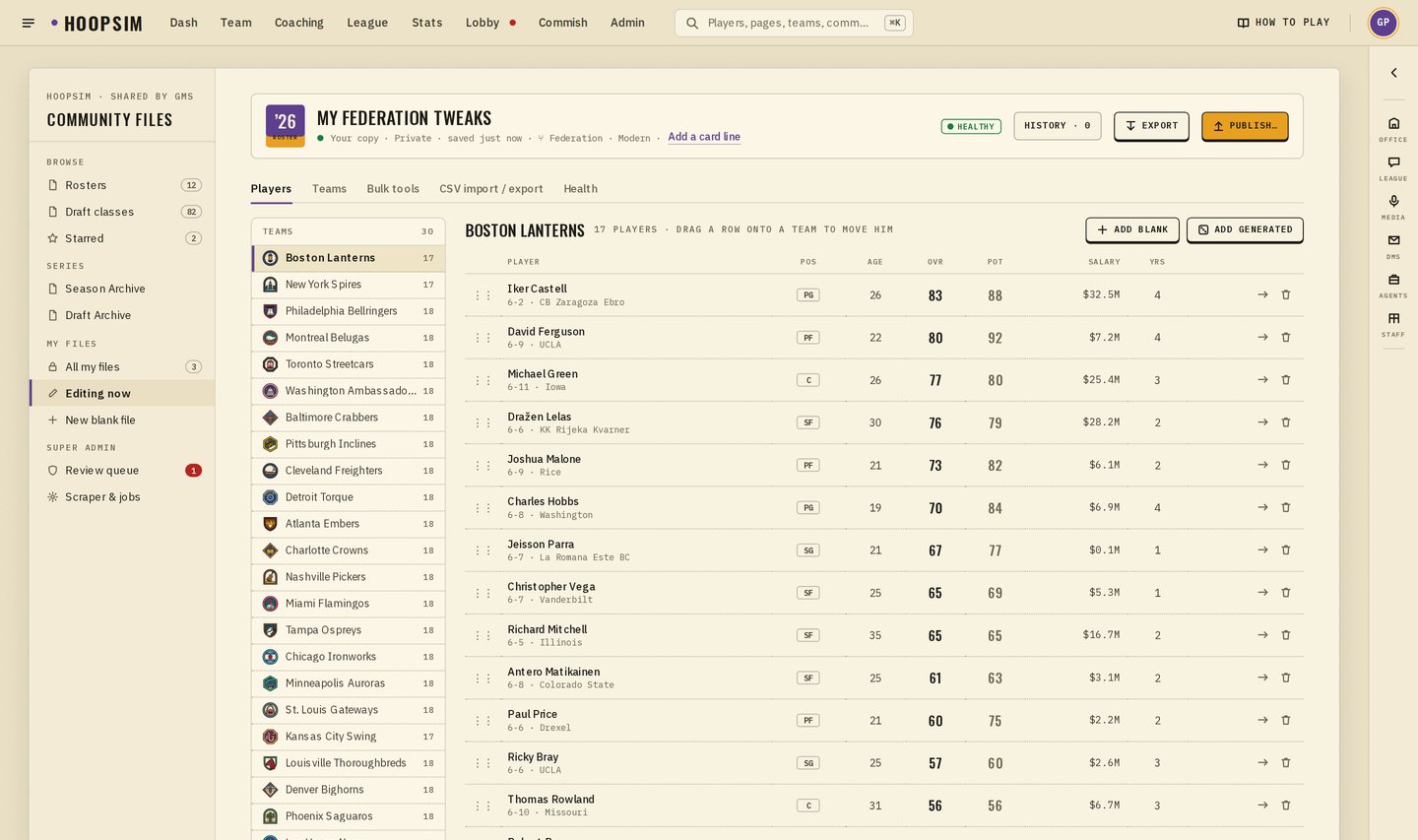
Want something nobody has made yet? Open any file and Save a copy. It's yours and private. Edit players, rename and recolour clubs, run bulk tools, and undo anything. A health check tells you if something's off before you build a league on it.
The fastest way to make a big file is a spreadsheet. On a computer, open your copy and go to CSV import / export:
- 11 · Get the templateDownload example-players.csv (and example-teams.csv for clubs, or example-prospects.csv for a draft class).
- 22 · Or export what's thereplayers.csv and teams.csv download the file you're editing, ready to change.
- 33 · Fill it inExcel or Google Sheets. Keep the id to change a player; leave it blank to add one.
- 44 · Drop it inImport checks every row and shows each change before anything is saved.
- 55 · Import, then PublishGood rows go in as one undo step. Publish when it's ready for everyone.
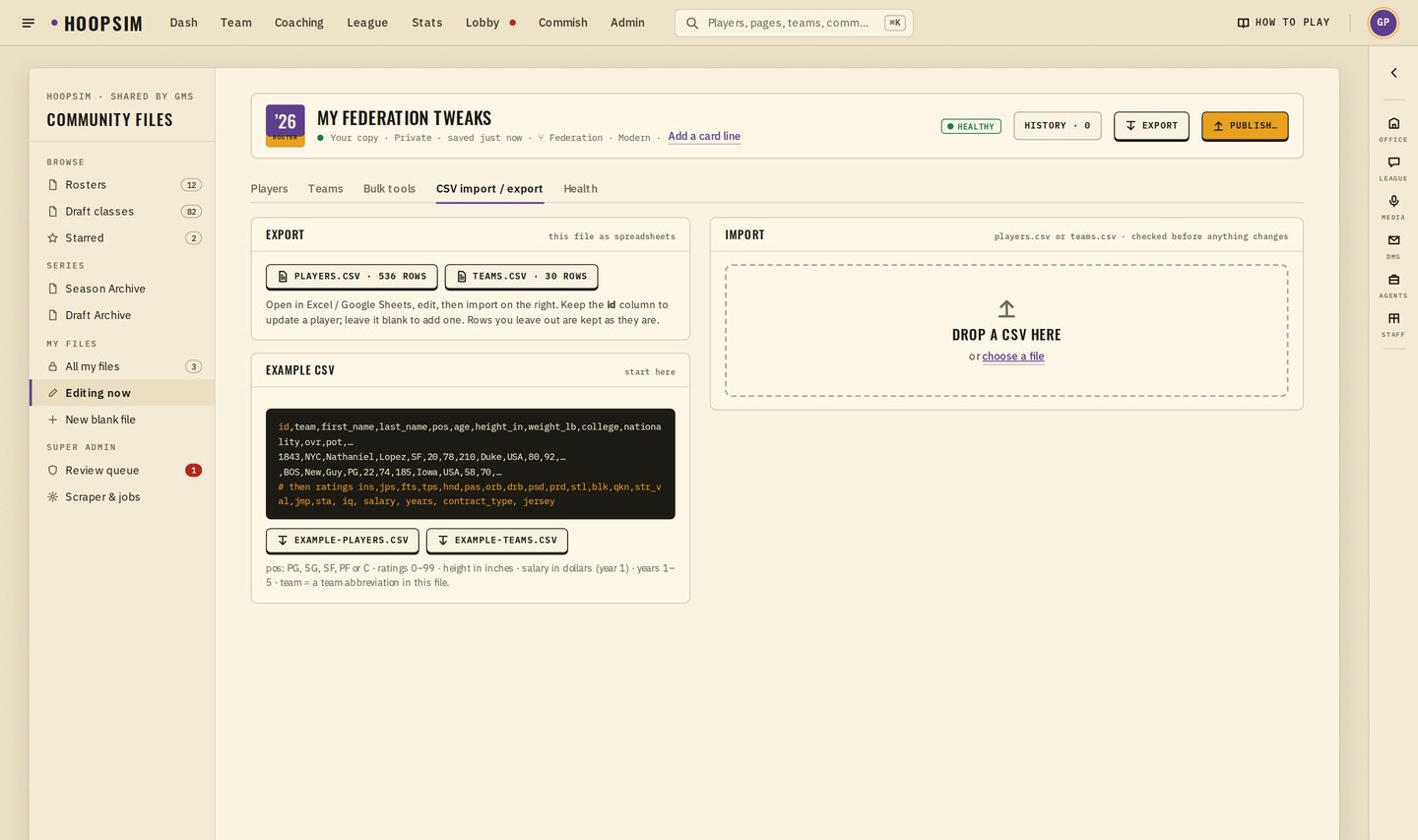
Nothing changes until you say so. The import checks every row first and shows you exactly what it'll do. Rows with mistakes are skipped and listed, and the whole import is one undo step. When you're happy with it, Publish sends your file to review, and once it's approved anyone can find it, star it and start a league with it. Leagues that already use a file keep their own copy, so your edits never change someone's season.
Running the league, from day one
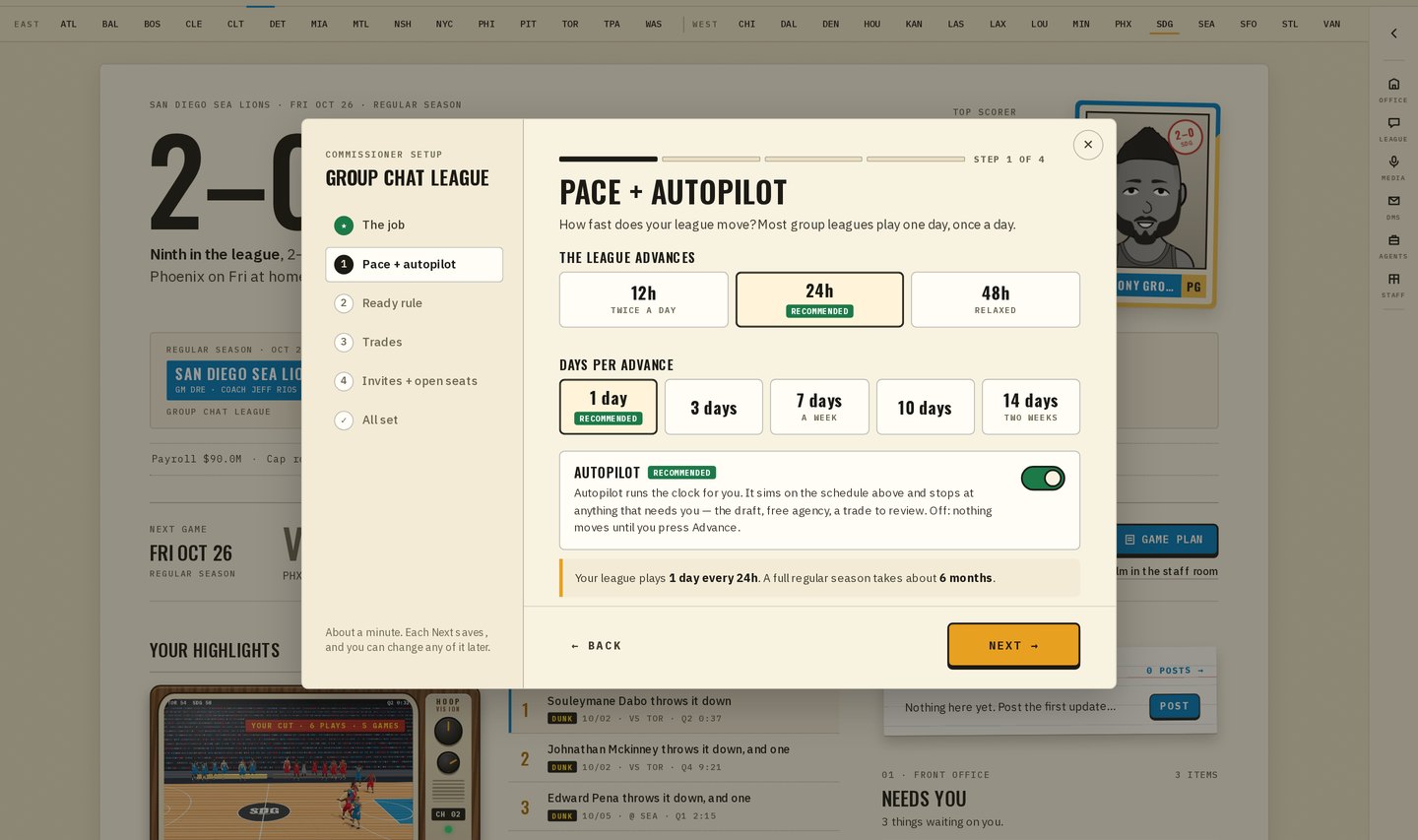
New commissioners get a short setup when they first open their league: how often it sims and how many days at a time (up to 14 now), when the league moves early because GMs are ready, the trade review window and deadline, and your invite link. There's also a switch called Accept new GMs automatically. Turn it on in a public league and players who are new to HoopSim can take over one of your AI-run clubs straight from the front door. You get a push, a League chat card and a note in the Office when they do.
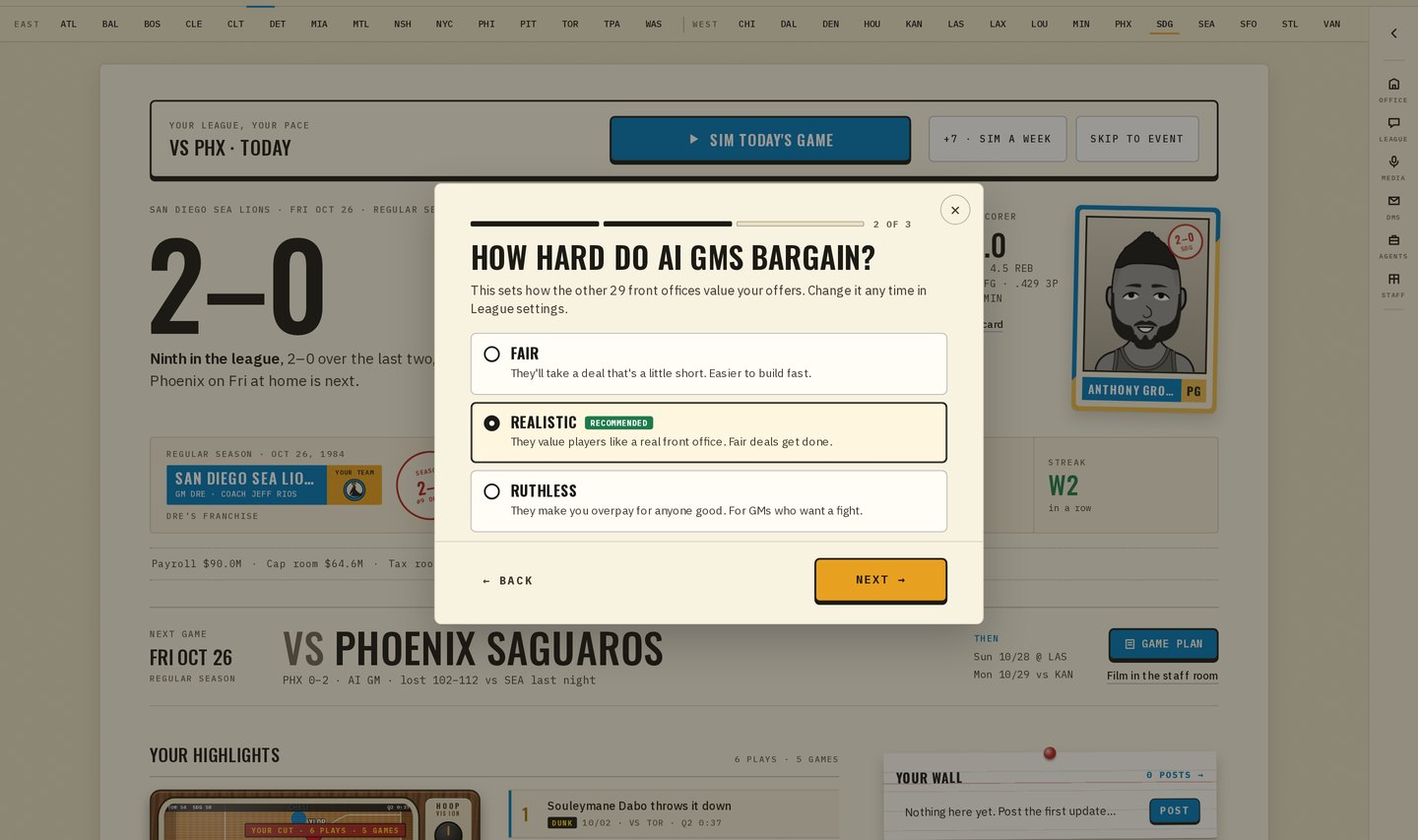
Solo players get their own first look: you against 29 AI GMs, and you control time. Pick how hard the AI bargains (there's a new Ruthless setting for anyone who wants to earn every deal) and pick your plan: win now, rebuild or just play. The plan isn't just a label. It changes what your owner expects, what your staff advises, and the deals the AI GMs bring you.
“The best league file is the one you were going to complain nobody made. Now you can make it.”
Open Build a Franchise and look around. Or open Community Files, grab the example CSV, and make the league you've always wanted to run. I'll be reading the comments.
— Dr. Possession