
the Game
Atlas: the whole league on one map
Atlas is new on HoopSim for computers: one map you zoom into, from the whole league down to a single night and then one game, with every chart tied to the same timeline. Here is how it works, and the one part only you can see.
I have spent a lot of this season inside box scores. They tell you who won and who scored. They don't tell you how a game felt: when it turned, who was on the floor for the run, and whether the rotation you painted on Monday is the one that played on Tuesday. Atlas shows you all of that, and it went live today.
Atlas is a new item in the top bar when you play HoopSim on a computer. It opens on a dark screen with the whole league on it. You click a night and the map zooms in. You click a game and it zooms in again. Press Esc and you float back out. It's one continuous map, and moving around it feels like flying over the season.
It's built for a big screen, so it lives on a computer only. On your phone, the box scores and the Dash work as they always have.
Level one: the league universe
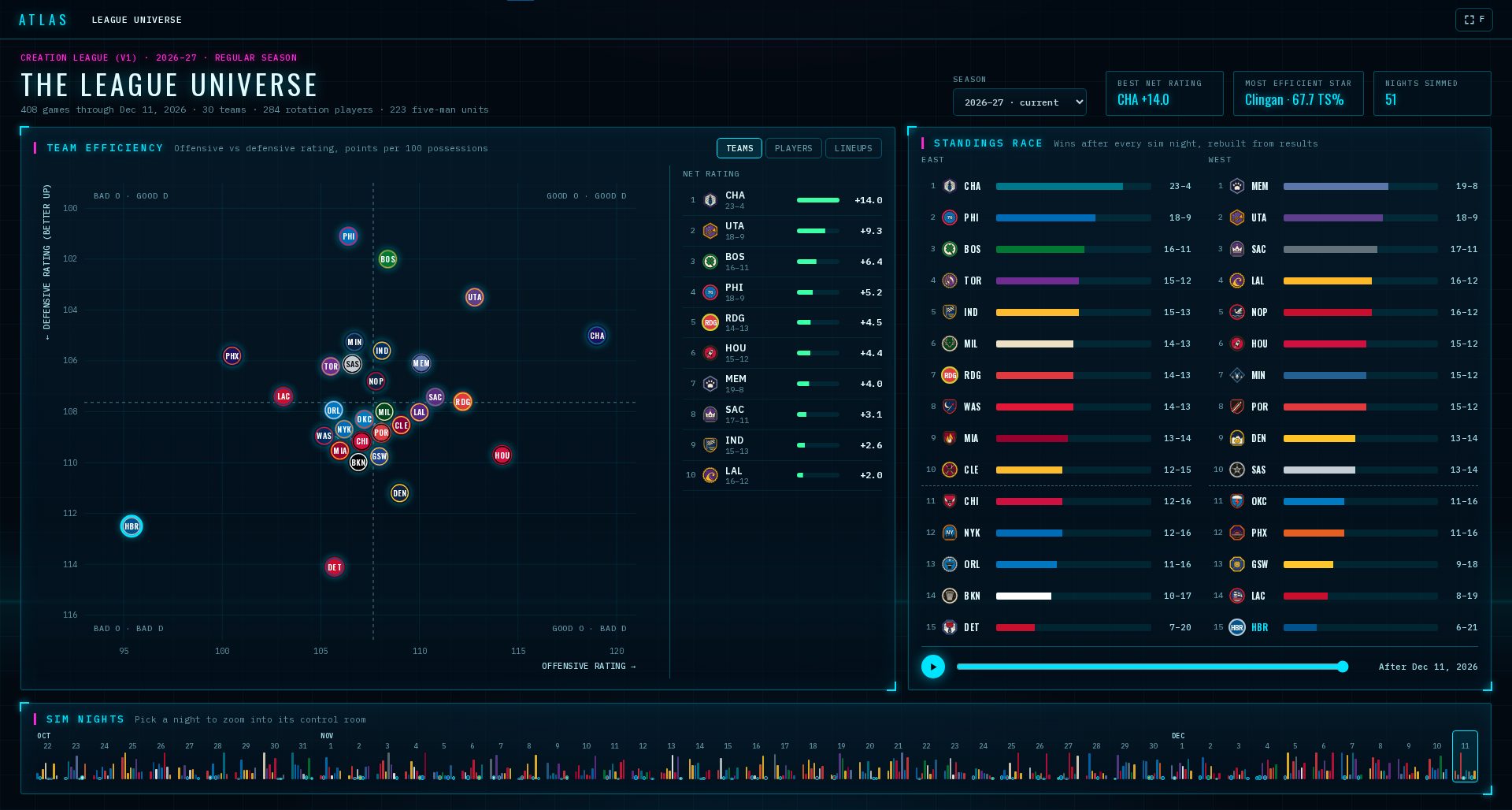
The first screen is the whole season at once. In the league that's furthest along, through the night of December 11, that's 408 games, 51 sim nights, 284 rotation players and 223 five-man units that have played 25 minutes or more together.
The big panel is a map with three tabs. Teams puts every club on offense against defense, so you can see at a glance who wins with scoring and who wins with stops. Players plots usage against true shooting, with the bubble sized by minutes: the stars who carry the load and the ones who carry it well. Lineups is the explorer.
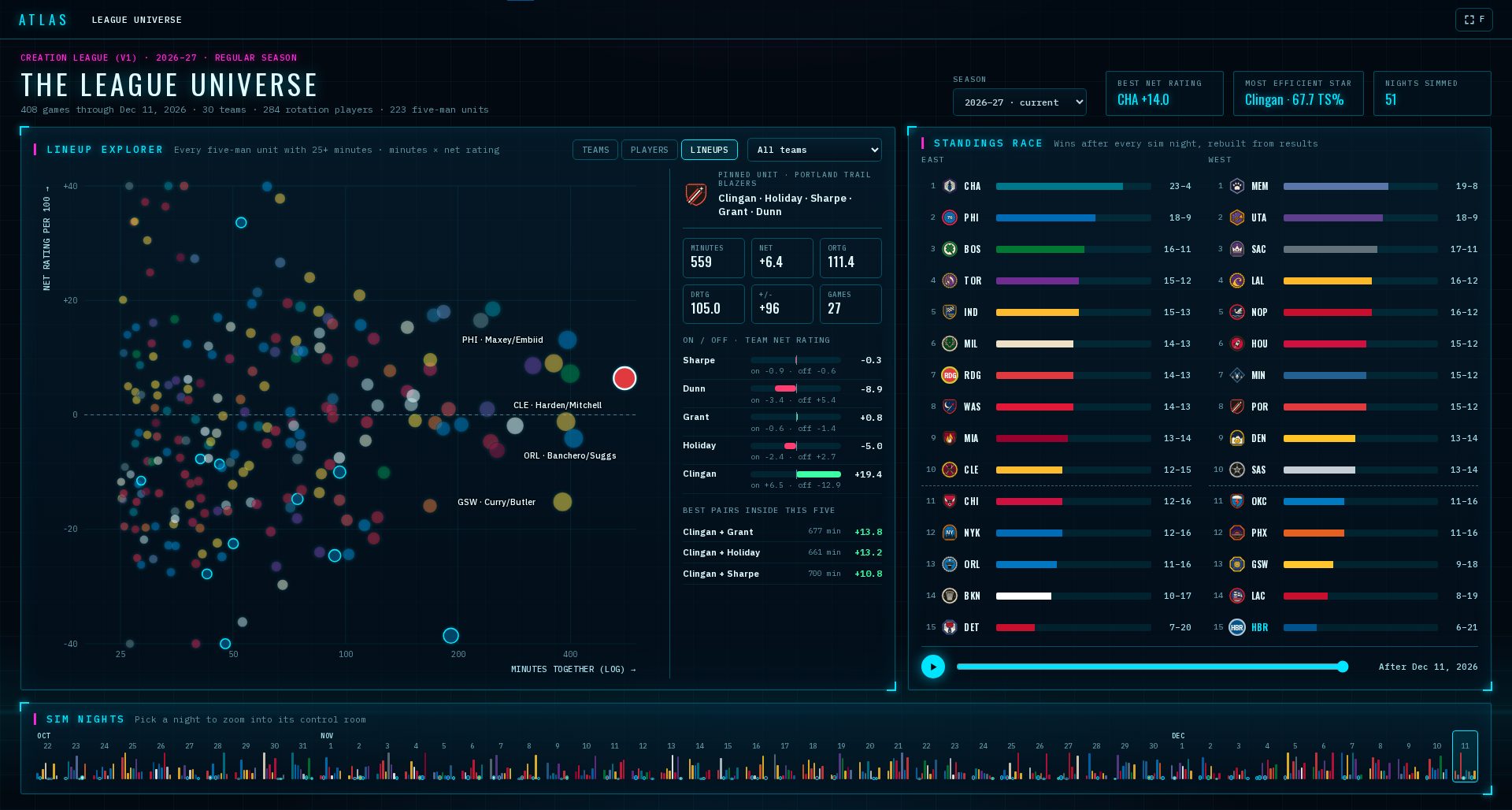
In the lineup explorer every five-man unit is a dot: minutes together across, net rating up and down. Pin one and the side panel shows its numbers, each player's on and off, and the best pairs inside that five. It's the fastest way I know to find the group that's quietly winning your minutes.
Next to the map is the standings race. Press play and the season replays itself night by night, every club's wins growing as the nights go by. Under both runs a ribbon of every sim night. Playoff nights are tinted, and a season picker at the top lets you go back to an earlier year.
Level two: a sim night
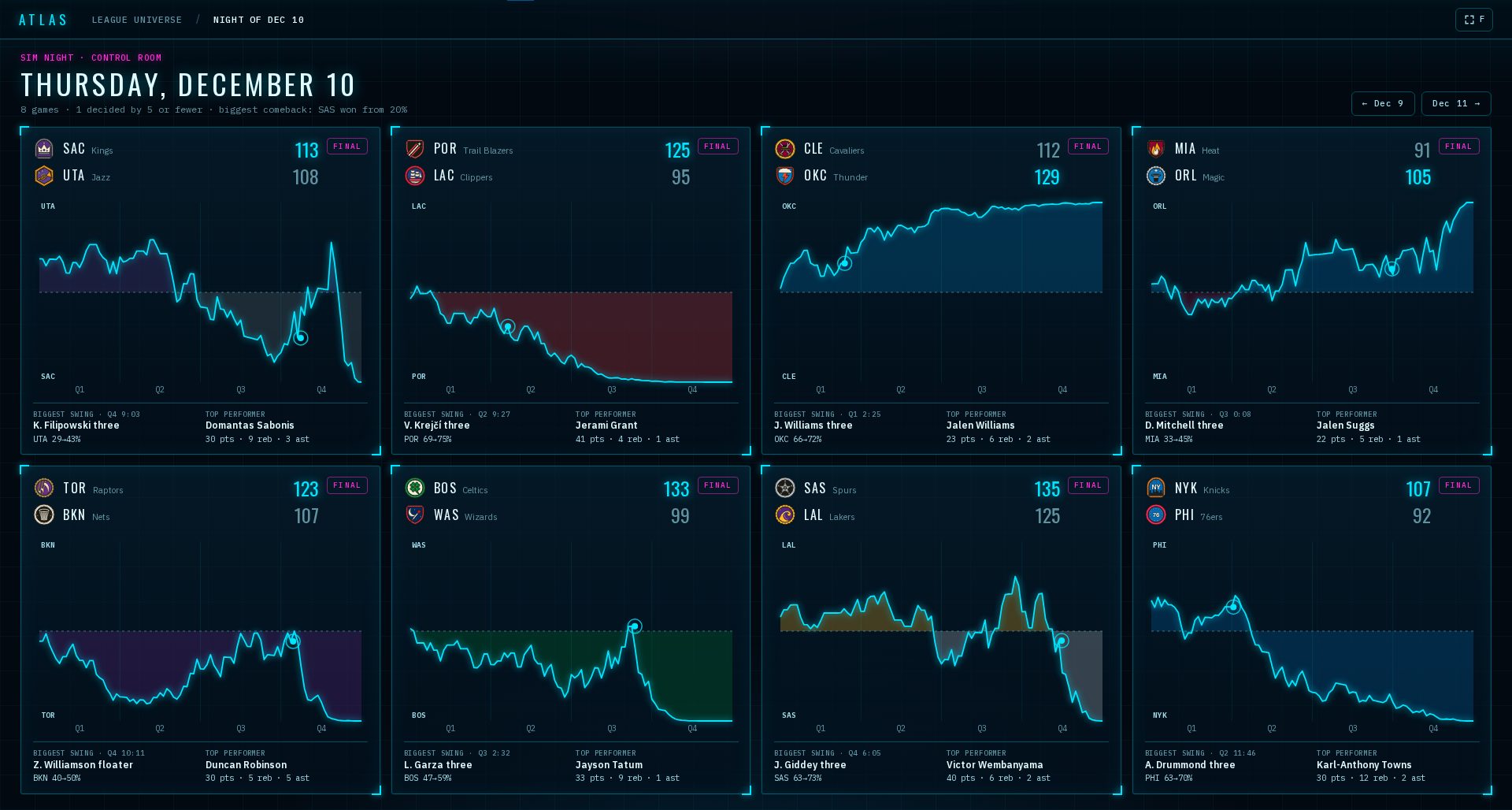
Click a night on the ribbon and you land in its control room. Every game of that night is on one wall. Each card has the final score, the win-probability line from tip to buzzer, the biggest swing of the game and the top performer. A blowout reads as a line that leaves the middle and never comes back. A thriller crosses the middle again and again.
Level three: a game
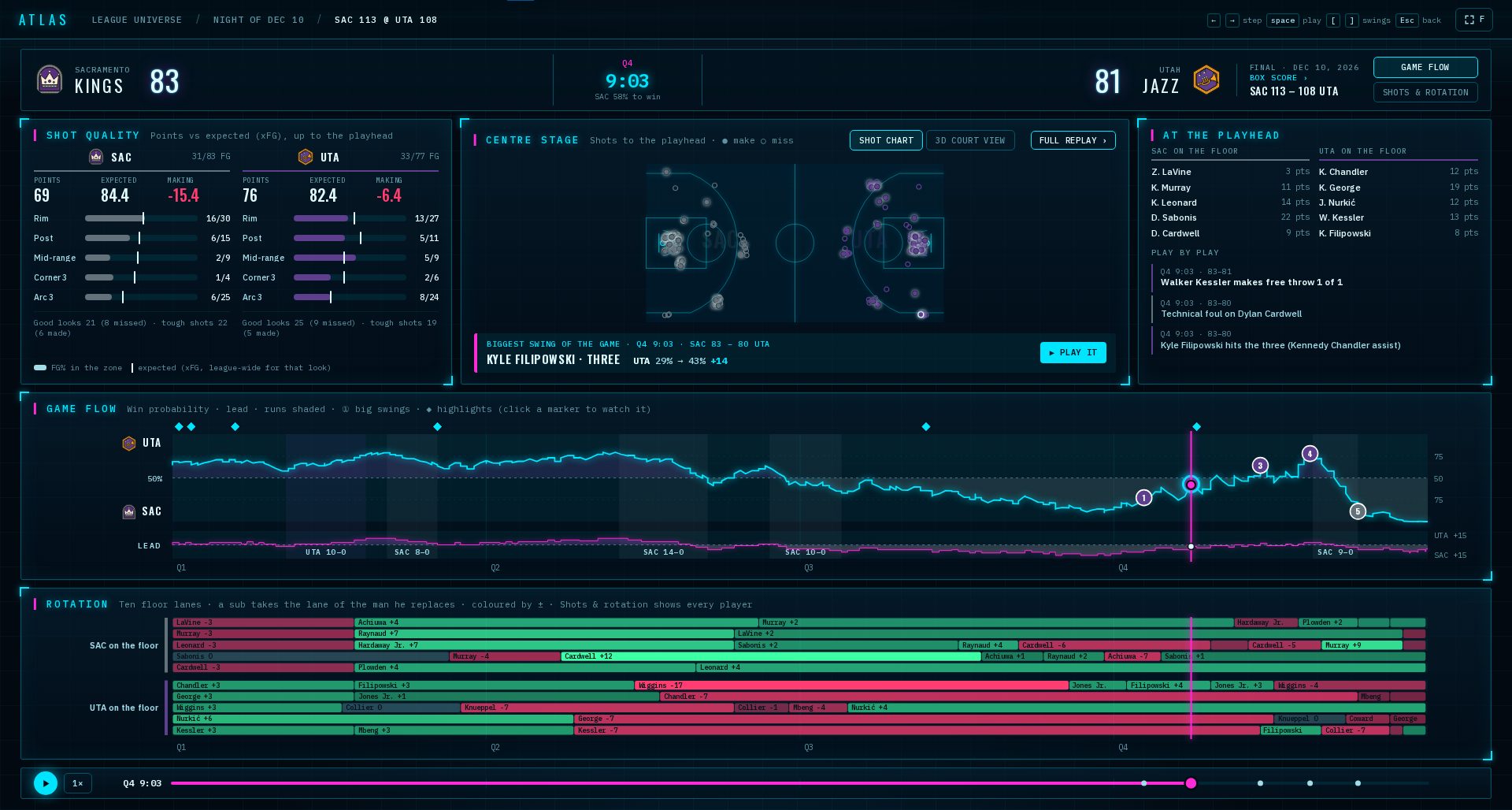
Click a game and you're inside it. Everything on this screen follows one playhead: the score and the clock at the top, shot quality, the shot chart, who's on the floor, the play-by-play, the game flow and the rotation. Move the playhead and every panel moves with it.
- 1← and →Step through the game one play at a time.
- 2SpacePlay and pause, at 1×, 2× or 4×.
- 3DragScrub the game flow, the rotation or the bar at the bottom.
- 4[ and ]Jump back or ahead to the biggest swings of the game.
- 5F and EscF goes full screen. Esc zooms back out a level.
Shot quality compares the points each team actually scored with the points its shots were worth on average, zone by zone, up to the playhead. Game flow shows win probability with a separate lane for the lead, runs shaded in, and markers for the biggest swings and the highlights. Click a marker and it plays.
The square brackets are my favourite part. Press ] and Atlas jumps straight to the next big swing, the moment a game really turned. Press [ to go back one. Five presses and you've seen the story of the game.
The centre panel switches between the shot chart and 3D Court View, the same replay you know from the box score. With Court View on, press Play it on a swing or click any marker, and the play loads on the court while the charts around it keep following.
Your plan against what happened
Switch a game to Shots & rotation and the rotation panel opens up to every player. Each stint is a bar, coloured by plus-minus. Behind your own players' bars sit faint blocks: your rotation plan for that game. At the end of each row is the share of your plan he actually played.
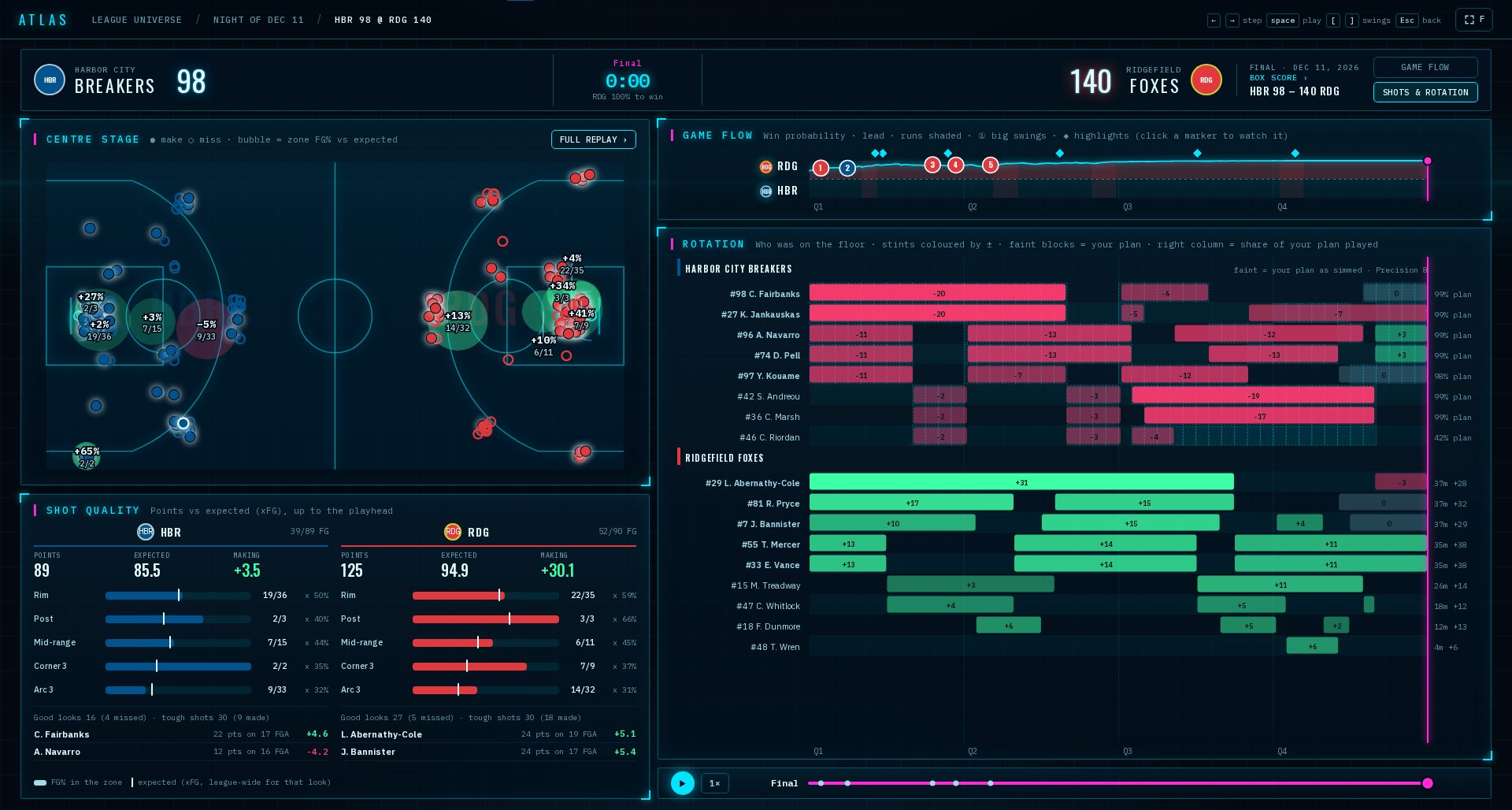
This is where you find out what the night did to your plan. Foul trouble, a blowout, tired legs, an injury. You can see where the game followed you and where it went its own way.
Your plan is private. Atlas only ever shows a team's plan to that team's own GM. Everyone else sees the stints and the plus-minus, which are public anyway, and no plan behind them. Plans are saved with every game from today on. For earlier games Atlas uses the chart you have on file and labels it that way, so you always know which one you're looking at.
Ways in
You don't have to start at the top every time. Atlas is linked from the places you already go:
- 1The top barAtlas, on a computer. It opens on the league universe.
- 2Box scoresOpen in Atlas takes you straight into that game.
- 3The DashClick a score to open that game, or This night in Atlas for the whole night.
- 4The WireA story about a game links to the game in Atlas.
- 5The scheduleEvery played game opens in Atlas.
“A box score tells you who won. Atlas shows you when it turned.”
Open Atlas tonight on a computer, find your last game and press ] five times. Then tell me which swing you'd take back.
— Dr. Possession