
the Game
A truer game, your rotation, your ball handlers
The biggest engine update yet: the games now score, shoot and finish like the real thing, and every game-plan setting has a price. Plus a rotation chart you paint minute by minute, and ball handling roles that decide who runs your offense. Numbers and screens inside.
This is the biggest update the engine has had, in three parts. The first is the game itself: how the sim plays forty-eight minutes, how the box scores look, and what your game plan really costs. The second is a rotation chart you paint minute by minute. The third is ball handling: you decide who brings it up and who gets the touches.
Part one · The game itself
Every change below was measured across a thousand test games against the real league, before and after. Here are the headline numbers.
The shot diet
Threes now make up close to four in ten shots, as they do in the league. Guards attack the rim off the dribble instead of backing players down, and the post belongs to the bigs again. Passing lanes, blocks on threes and loose-ball turnovers all came down to realistic levels, so teams keep the ball and move it. Assists went from 23.8 to 26.5 a game (the real league is at 26.7), and free throws per shot now match the league exactly.
Late game and overtime
The end of games got a full rework. Clock management now follows the real game clock. A team leading late runs the clock down. A team trailing late pushes the pace. Teams no longer foul down two with fifty seconds left; they foul when the clock says they have to. Down three with a shot clock left, they look for the tying three. Close games go to overtime about as often as they should.
Box scores that look like players
Rebounds follow size and rebounding skill, so a real center pulls ten a night and guards don't out-board them. Assists follow the passers and whoever starts the possession. Shooting fouls at the rim are spread across the defense the way they are in a real game, so one defender no longer collects them all. Free throws, jump balls, team rebounds and the end of each quarter now follow the rulebook and show up in the play-by-play.
Minutes that match your depth chart
Starters were coming up a few minutes short and the bench a few over. Now the coach keeps track through the game and evens it out after halftime. No one plays more than 44 regulation minutes unless you paint it on your chart (more on that below). A player who fouls out is replaced even if you locked your bench. Your closing five plays the close finishes, and the coach fills any spot you left empty. In the playoffs, a player you set to zero minutes now stays at zero.
Every setting has a price
- 1Crash the boards 2 → 9About 1.7 more offensive rebounds a night, and about 5.6 more points allowed the other way. Net rating goes down, not up.
- 2Focus inside → outsideThrees go from about 28% to 48% of your shots. Which one wins depends on your roster.
- 3Pace 2 → 9About seven more possessions a night, for both teams, with more turnovers.
- 4Man → zoneFewer points at the rim for the other team, more open threes and offensive rebounds for them.
A game plan should be a choice, not a cheat code. Crashing the offensive glass now gets you extra boards and gives up transition baskets the other way. An inside focus draws more fouls but only helps if your roster can finish there, and the other team's scouts read your lean. The pace slider now produces a real spread between a grinding team and a running one. Halftime adjustments are smaller and you can see them: they show up in the box score and on the court.
Fewer blowouts
Streaks and momentum swings were bigger than they should be, and they turned too many games into routs. They are smaller now. Games stay closer, and a 30-point game is rare again.
Part two · Your rotation, minute by minute
You asked for more control over who plays and when. Until today you set a minutes number for each player and the coach decided the rest. From today the rotation is yours, minute by minute, if you want it. Open Coaching › Game Plan › Rotation.
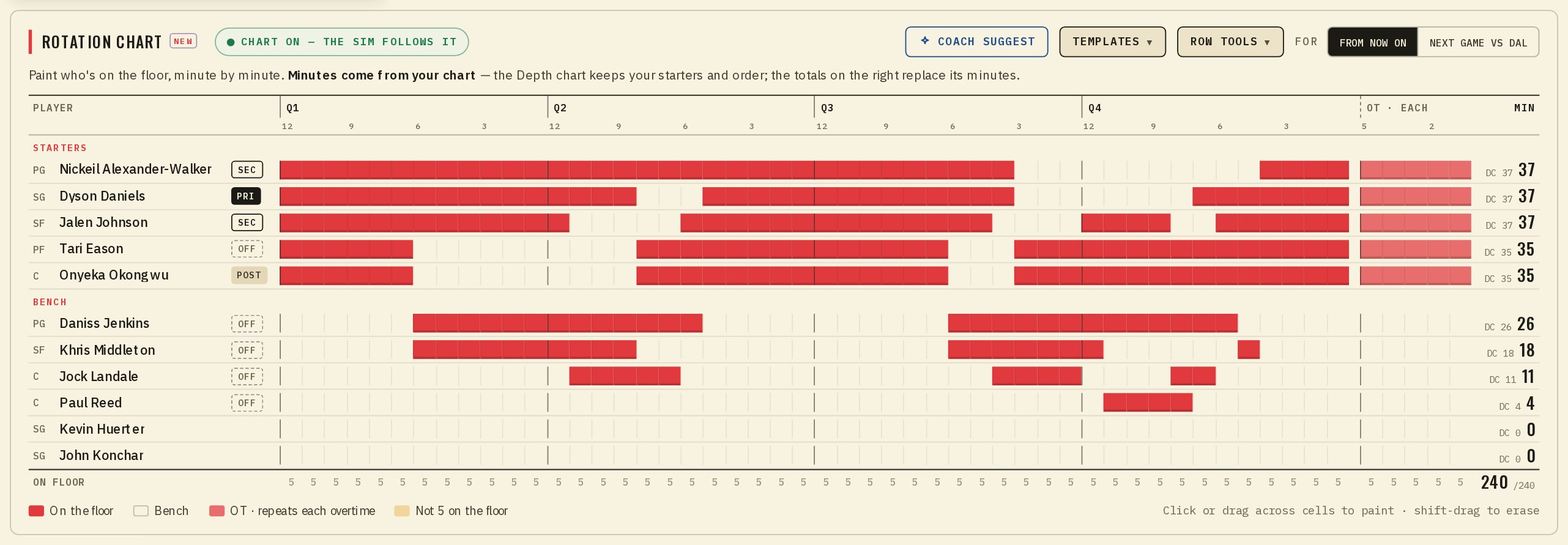
Painting the chart
On a computer the chart is one wide grid: your players down the side and the 48 minutes across, quarter by quarter, with an overtime block at the end. Click or drag across the minutes to put a player on the floor, and hold shift while you drag to take them off. The totals on the right are the minutes your chart gives each player. They replace the minutes on your depth chart, so the two never disagree.
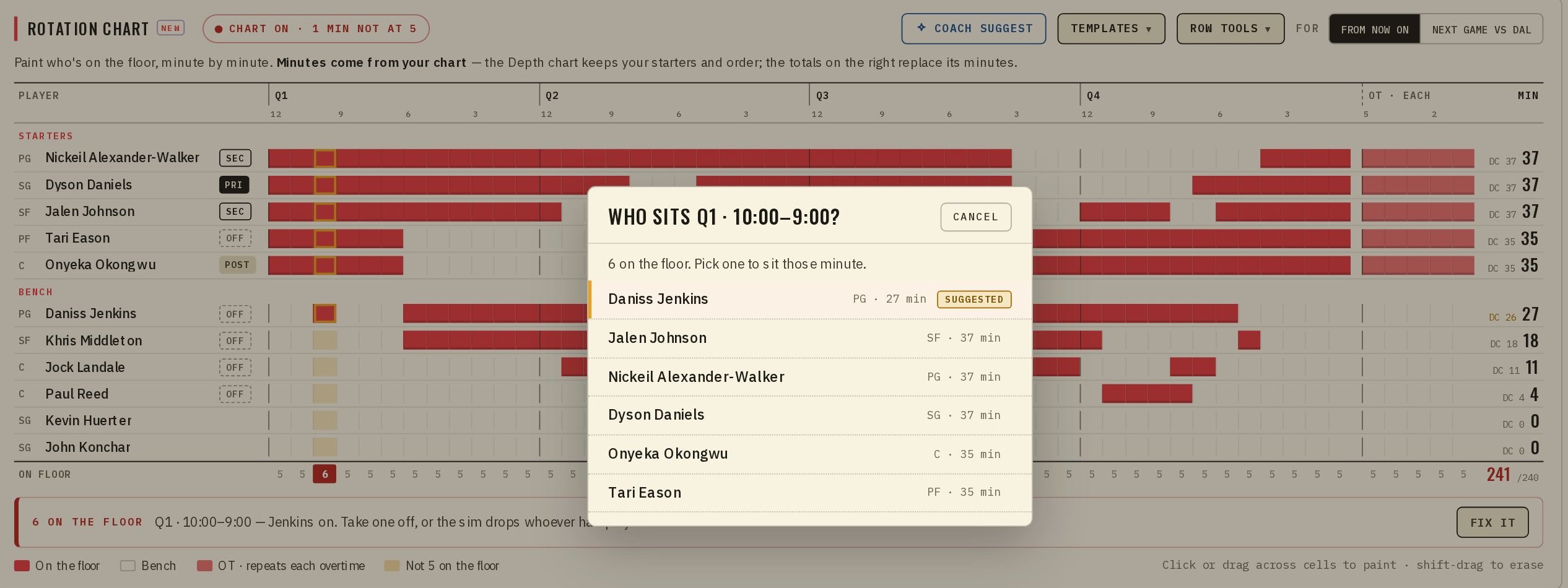
The row under the grid counts who is on the floor each minute. Every minute needs exactly five. If a minute has four or six, it lights up and Fix it asks you who sits or who comes in. It never picks for you.
You don't have to start from nothing
- 1Coach SuggestYour coach paints a full chart from your starters, staggers your two best players, and sets the ball handling roles too.
- 2TemplatesStarters 8-on/4-off, Stagger the stars, Short bench (8 players) and Load management. Pick one, then change what you like.
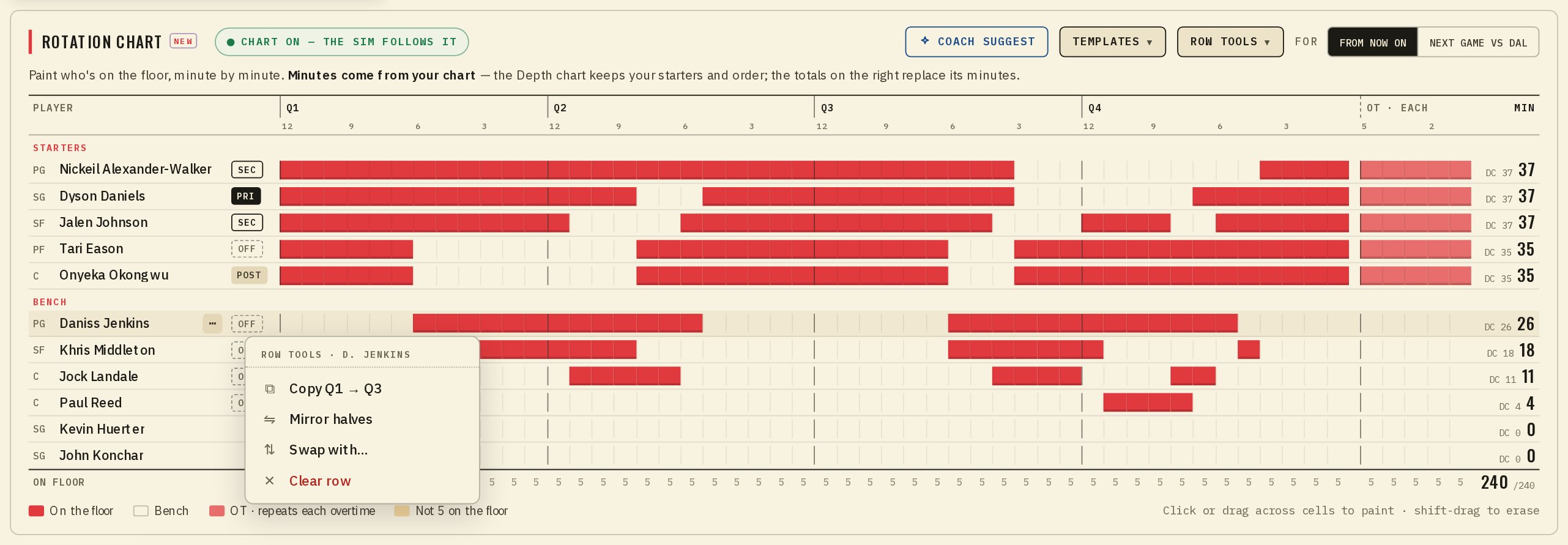
- 3Row toolsCopy Q1 to Q3, mirror the halves, swap two players everywhere, or clear a row.
- 4One game onlyPaint a chart for the next game only. The game chip shows it is custom, and your default comes back after.
On your phone
The same chart fits in your pocket. Each player gets a strip for the four quarters and overtime. Tap a player to open one quarter minute by minute: twelve cells, tap to put them on or off.
 Rotation
 One quarter
If you never paint a chart, nothing changes. Your team plays exactly as before until you press Paint your rotation, and the coach fills the first chart from the minutes you already set.
How strictly the sim follows it
No coach can play someone with six fouls, so your chart can't either. Follow my chart sits at the top of Precision and decides how much the game may bend your plan.
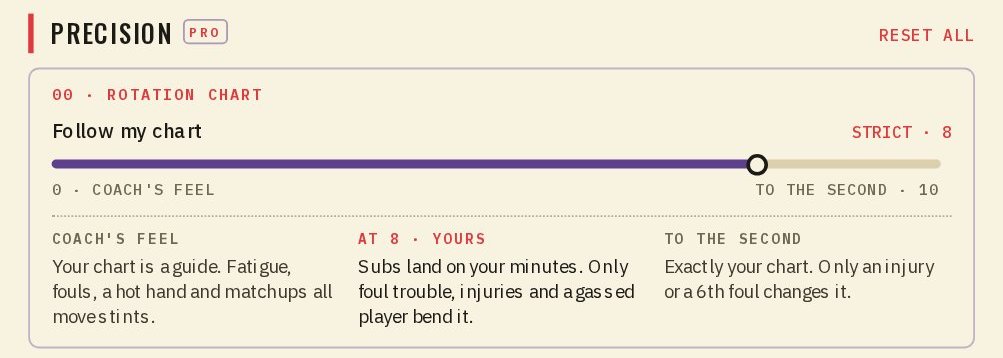
- 19–10 · To the secondOnly an injury, an ejection or a sixth foul. Everything else plays exactly as painted.
- 26–8 · StrictAlso foul trouble and a player who is out of gas. They sit a couple of minutes, then pick up the chart again.
- 33–5 · LooseNormal fatigue, garbage time, and your closing five in a tight finish if you set one.
- 40–2 · Coach's feelYour chart is a guide. The coach runs the game and aims for the minutes you painted.
When the game takes a player off your chart, they come back at their next painted minute. Overtime uses the block you painted for it. If that block is empty, your closing five plays it.
Part three · Ball handling
Until now the engine decided who brought the ball up, mostly by position: the point guard ran it, the center almost never did. Now you decide. Open Coaching › Game Plan and give every player a role and a share of the touches.
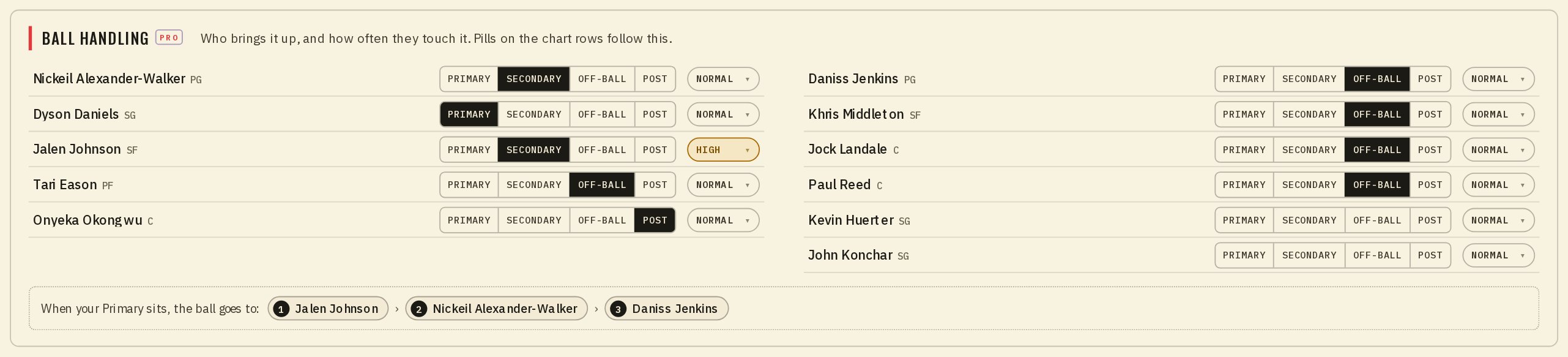
- 1PrimaryBrings it up and starts the offense. You can have more than one, say one with the starters and one with the bench.
- 2SecondaryA second creator who shares the load.
- 3Off-ball and PostSpots up, cuts and runs the floor, or works inside close to the rim.
- 4TouchesHigh, Normal or Low: how often the ball finds this player once the play is moving.
- 5When your Primary sitsPick up to three players, in order, to run the offense when no Primary is on the floor.
A forward set as your Primary really does run your offense. Here is one test team that made its small forward the Primary with high touches.
More of the ball, more shots, more points, a few more assists, and more turnovers too, the way it goes for any point forward. The team as a whole turned it over a little less. Leave a player's role blank and they are handled the way they always were. Ball handling works with or without a rotation chart.
 Follow my chart
 Ball handling
“A truer game, and more of it in your hands: who plays, when, and who has the ball.”
Paint a chart, play a week with it, and tell me where it breaks.
— Dr. Possession