
the Game
You can call the game now
1 on 1 puts you in the chair for your own game: one possession at a time, your call against theirs, on the same engine that plays every other night. Here is how it works, and why the box score still counts.
Until now every game in HoopSim was played for you. You set the depth chart and the game plan, the engine played forty-eight minutes, and you read the box score. That is still how most nights will go. But from today there is a second way to play a game: sit in the chair and call it yourself.
It is called 1 on 1. With the ball you call the play. Without it you call the defense. The court acts out what happens, and then it is the other side's turn.
 Before the tip
 Your ball
The same engine, with you in the chair
This is the part I care about most. A called possession is not a mini-game bolted on the side. It runs through the same engine as every simulated night: the same ratings, the same tired legs, the same fouls, the same box score. The only thing that changed is who makes the decision the coach used to make.
So I checked that it still plays like basketball. I had the CPU call both sides of 40 full test games, then played the same 40 games on the engine alone.
Within three percent. And one more thing from the same test: I had one side run a single play all night against a CPU that was allowed to adjust. I tried it with each of the six plays. In every case the side that mixed its calls outscored the side that ran one play all night. The defense notices.
“Run one play all night and the defense notices. Mix your calls.”
One possession, start to finish
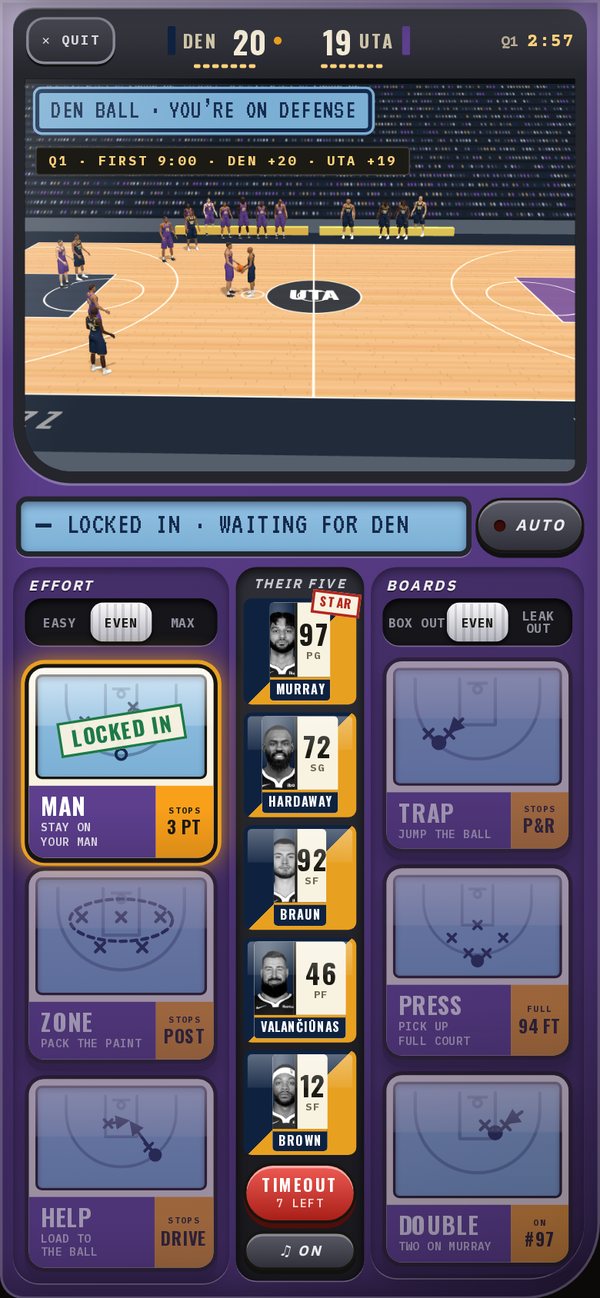
- 1Call itFive seconds. With the ball, pick one of six plays and, if you like, the player it runs through. Without it, pick one of six defenses. If the clock runs out the CPU calls it for you.
- 2Both calls landYour call and theirs are revealed together, and the court plays the possession out.
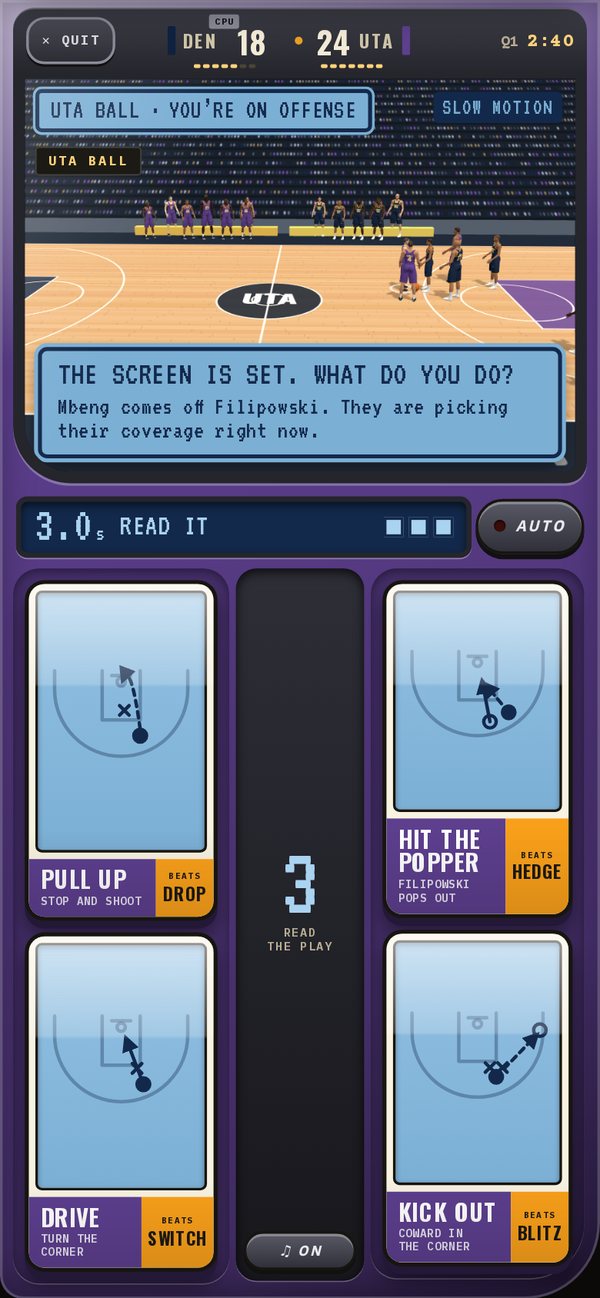
- 3Read itOn a pick and roll the play slows down for three seconds: pull up, drive, hit the roller or kick it out, against drop, switch, hedge, blitz or ice.
- 4Live with itMake or miss, the ball changes hands and you are on the other side of the pad.
Here is what the first two steps look like. Every card says what it is for: a play shows who it runs through, a defense shows what it is built to stop.
With the ball Without it
The pick and roll gets its own beat. When the screen is set the play slows down and both sides pick at once, without seeing the other: the ball handler's read against the defense's coverage. Guess right and you get the open look.
Your coach still runs the bench, but he asks first. When he wants a sub you get a note: OK, or leave him in. Call a timeout and you can make your own subs, see who is tired, and see what the other side has been calling.
 Coach's note
 Timeout
Twelve-minute quarters, about ten minutes of your time
A league game played live is always a real 48-minute game with a real box score. What you choose is how much of it you call.
It counts
A live game is not an exhibition. You play today's scheduled game, and the result goes in the books at the next league sim like any other: stats, standings, the play-by-play, all of it.
If today's opponent is run by the CPU, you just play. If it has a GM, you send a challenge and the game is played live only if they say yes. Nobody plays your team for you without asking. When two GMs play, each calls only their own side, and neither sees the other's call until both are locked in.
If you step away
Life happens. Tap Auto and the CPU calls your side while you watch; tap any card to take over again. Miss three clocks in a row, or close the app, and your side goes on Auto on its own, so the other GM is never left waiting. You can come back at any point and pick it up from the score as it stands.
Nobody forfeits. If everyone leaves, the CPU finishes the game. If the league's scheduled sim comes due while a game is still going, the sim waits a few minutes, then the game is finished the same way.
 On Auto
 Final
FinalEveryone can watch
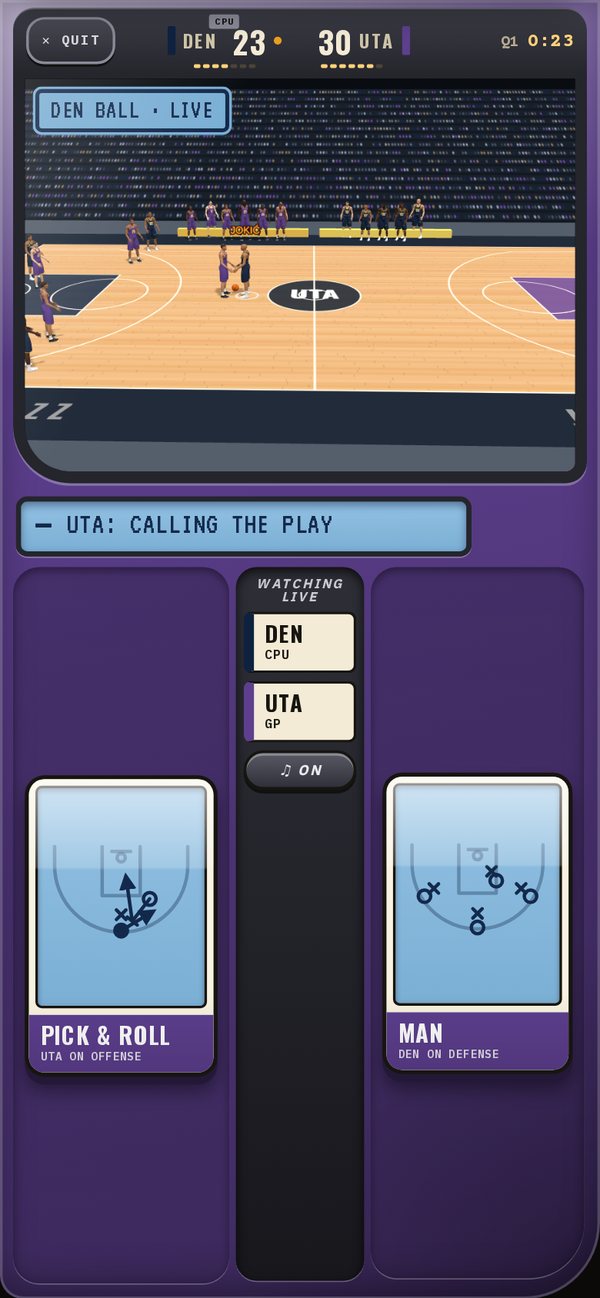
A live game shows up on every GM's Dash and in League chat. Drop in and you see the court, the score and who is calling each side. You see each pair of calls once both are locked in, never before.
Where to find it
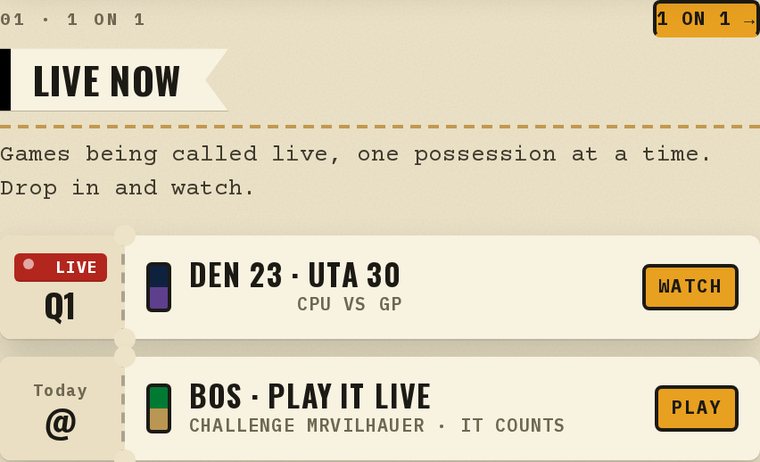
Your commissioner switches 1 on 1 on for the league and sets the clocks and the game length. Once it is on, look at your Dash on a day your team plays: there is a Play it live stub next to your schedule. Exhibitions are in the same place if you want to learn the pad first. Nothing in an exhibition is saved.
This is a first version, and I will be measuring it the way I measure everything else here: against the real thing. Call a few possessions and tell me what the numbers do not show.
— Dr. Possession